
Less effort at the counter. More peace running your store.
A software designed to do the heavy lifting so you don't have to. Manage complex OD/OS prescriptions, split GST, and workshop fittings in just 3 clicks — cutting daily manual effort by over 70% so you and your staff can finally breathe in relief.

Join 1,000+ relaxed opticians across India who switched from paper registers to OptiPay.
Watch OptiPay in Action
See how prescriptions, split GST, and workshop slips operate live in 60 seconds. Click any chapter below to jump straight to that feature.
An all-rounder optical billing software
Engineered specifically to solve every daily operational friction on your optical showroom and clinic counter.
QR code
Customizable bill format
Print your optical store logo, create detailed bill break-ups, edit patient prescription details or add a dynamic UPI QR code for payments right at the billing counter — everything is possible with OptiPay optical billing software.
Multi-terminal billing
In need of multiple billing counters for your optical showroom, optometrist clinic room, and delivery desk? OptiPay lets you easily create multiple billing counters and sync them with one master station so your staff can generate prescription orders and settle bills seamlessly.
Station-wise lab slip printing
Got different optical edging and fitting workshops? No worries! Assign a dedicated printer to each station and send lens job slips to the respective technicians. Smoothly sync them all with the master POS to keep track of your customer specs orders and their running status.
Clinical Rx & patient management
Busy clinic, big responsibilities. Minimize errors by keeping complete patient prescription history at your fingertips. Store OD and OS powers, cylinder axis, near addition, and optometrist notes with 1-click repeat lookups.
Configure taxes & discounts
Switch to an optical billing software that lets you easily configure and levy different taxes, update tax rates, and offer discounts depending on your service types, regional norms, and business needs. Automatically handles frames (12%) and lenses (18%).
POS feature for easy inventory management
Keep complete control over spectacle frames, prescription lenses, wholesale suppliers, and counter stock.
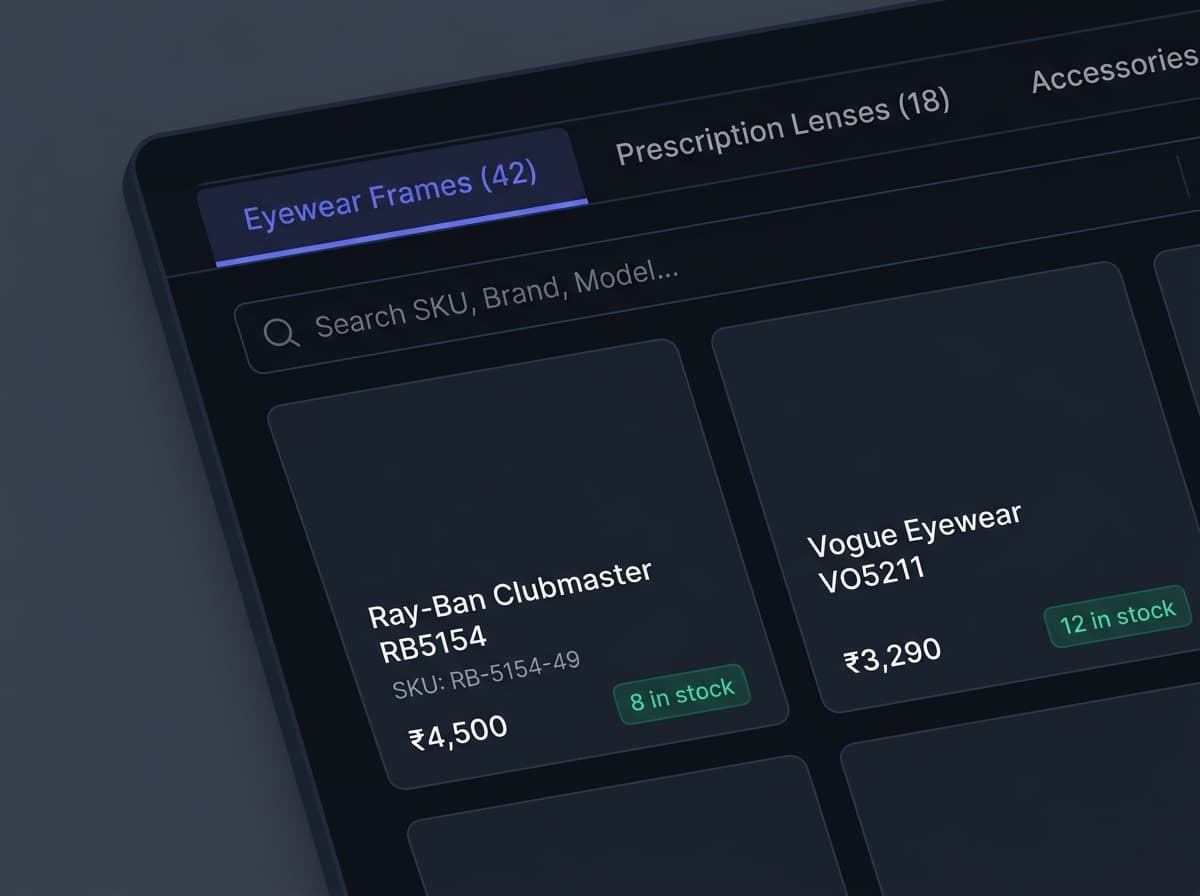
Frame & lens category catalog
An optical inventory software that organizes your frames by brand, eye size, and color code, while managing bespoke lens index variations and accessories without confusion!
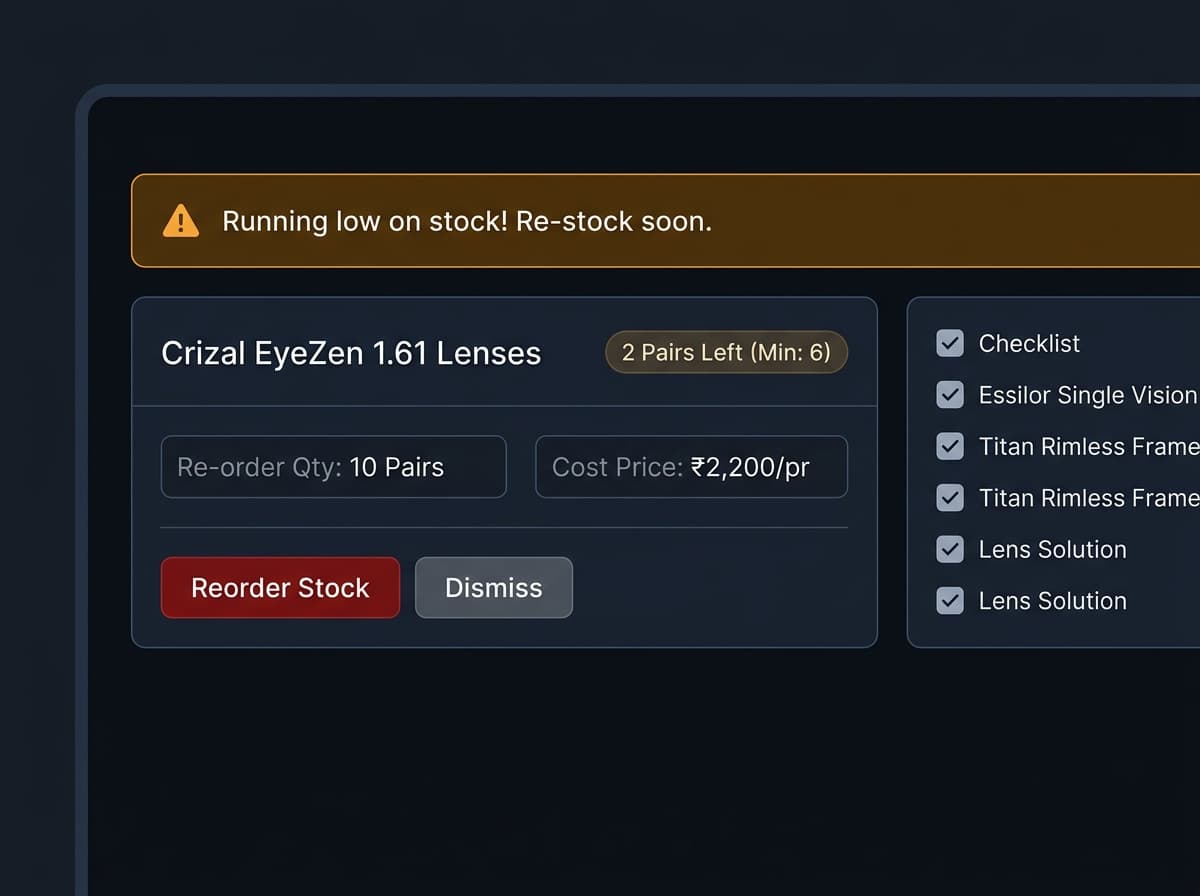
Raw material & lens stock management
Plan your optical restocking and set automatic low-stock alerts on OptiPay's inventory system. Easily manage lens availability so customers never face delayed deliveries.
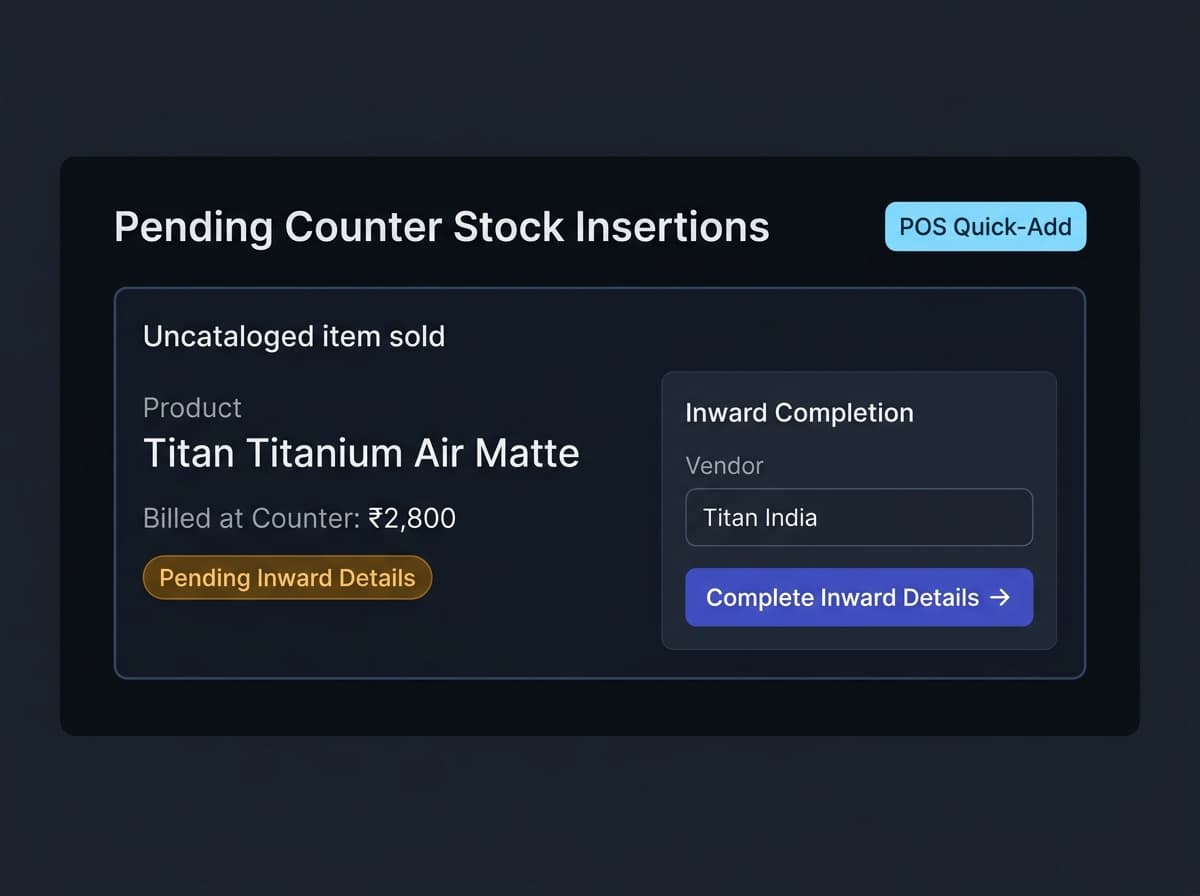
Pending counter stock insertions
An optical POS designed to never slow down counter sales. If an uncatalogued frame arrives, staff can bill it on the spot, creating a pending insertion for the owner to finalize later!
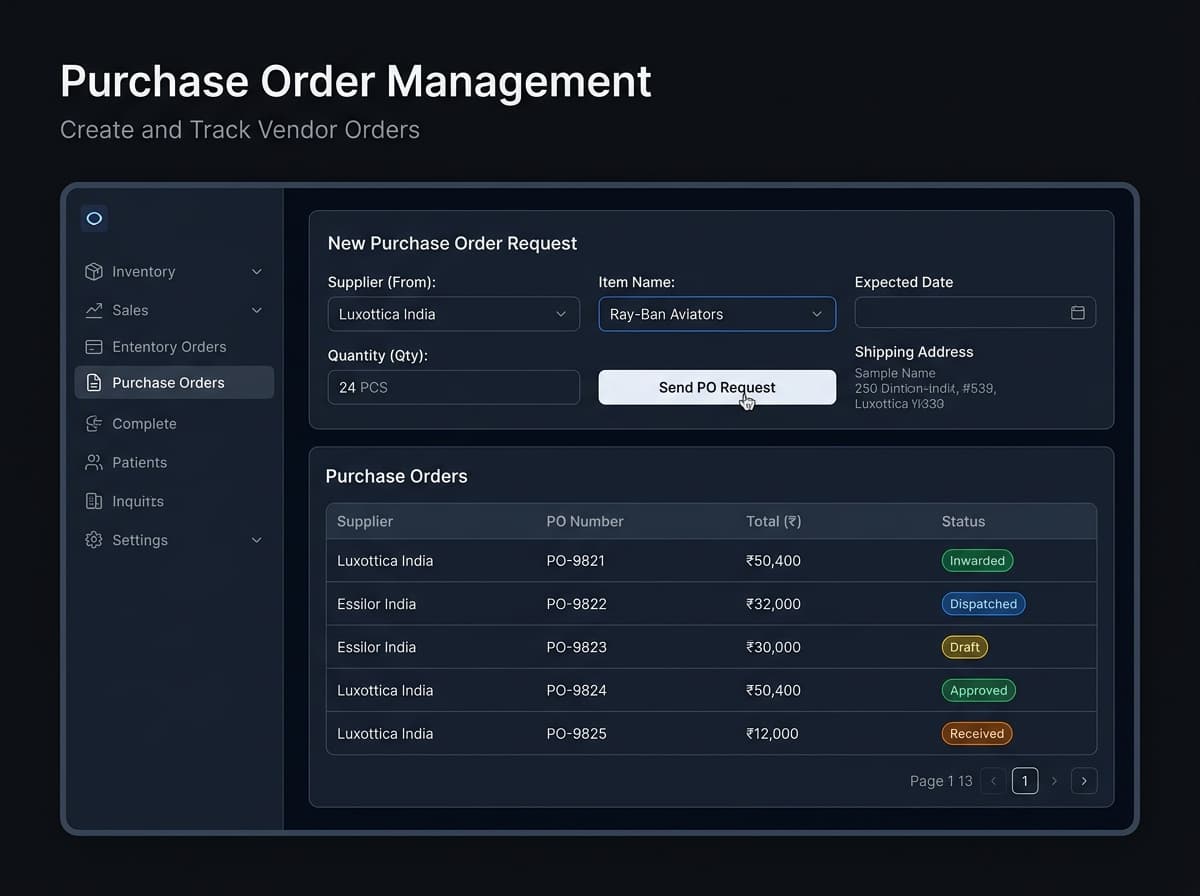
Purchase order management
Raise and accept purchase order tickets directly with your eyewear and lens suppliers right from the dashboard. Keep track of wholesale bills and inward stock without spreadsheets.
Quick & simple
OptiPay optical billing software works easily with any existing infrastructure
Your Existing Counter Hardware
No expensive proprietary machines. OptiPay connects seamlessly with your standard USB barcode scanners and 80mm receipt printers in under 10 minutes.
Works offline, cloud-based software
Reliable counter billing with automatic cloud synchronization.
Works on any hardware
Run on existing Windows PCs, Macs, iPads, or Android tablets.
Works on major Operating systems
Zero installation required. Opens in Chrome, Edge, Safari, or Firefox.
Keyboard / touchscreen view
Fast shortcut keys for rapid counter checkout during rush hours.
Barcode scan & search
Instant USB/Bluetooth barcode scanning for frames, cases, and solutions.
E-bill receipts & WhatsApp
Print instant 80mm/58mm thermal bills or deliver directly to customer WhatsApp.
Do a lot more with one optical billing software
OptiPay is the all-in-one optical POS system that handles all your operations on a single screen.
WhatsApp & Order Management
A POS system that provides you with the complete picture of your optical orders, lens edging status, and automated pickup alerts via WhatsApp.
Store Rights and Reports
Access daily optical sales reports, day-end cash drawer tallies, and regulate staff discount rights to avoid fraud and pilferage.
Inventory & Lens Management
Track frame purchases, brand margins, lens power diopter stock trends, and contact lens expiry dates from a single dashboard.
Clinical Prescription Suite
Store and organize digital patient refraction cards (OD/OS Sph, Cyl, Axis, Add) with 1-click repeat lookups.
Optical CRM & Annual Reminders
Build customer data pools, track power change history, and send automated annual vision check-up reminders directly to WhatsApp.
Multi-Branch Chain Sync
Manage multiple retail outlets, transfer frame stock between branches, and view consolidated owner profit analytics on your mobile.
Compare The Difference
Why Generic Billing Software Fails Optical Retailers
Generic retail tools treat prescription eyewear like grocery items. Here is why purpose-built optical software is essential.
| Workflow Capability | OptiPay POS | Generic Retail POS | Legacy Desktop ERP |
|---|---|---|---|
| Clinical OD/OS Eye Refraction (Sph, Cyl, Axis, Add) | Manual & Clunky | ||
| Automated Multi-HSN GST (Frames 12% + Lenses 18%) | Complex Setup | ||
| Lens Edging Workshop Job Slips & Advance Tokens | Paper Slips | ||
| Pure Cloud Sync (Check Live Sales from Smartphone) | |||
| Instant WhatsApp Invoices & Readiness Alerts | SMS Only | ||
| Zero Installation (Runs directly in web browser) | |||
| Staff Training Required | < 30 Minutes | 1 to 2 Days | 1 to 2 Weeks |
Book a Free Demo
See how OptiPay POS eliminates calculation errors, handles split GST, and syncs WhatsApp optical slips in real time.
Personalized 10-Minute Walkthrough
Our optical specialist will call you, verify your existing thermal printer & barcode scanner, and demonstrate how OptiPay saves 3+ hours daily.
Frequently Asked Questions
Everything You Need to Know Before Switching